> For the complete documentation index, see [llms.txt](https://docs.immedio.io/llms.txt). Markdown versions of documentation pages are available by appending `.md` to page URLs; this page is available as [Markdown](https://docs.immedio.io/immedio-box/guides/file-upload/hyperlink.md).
# PDFにハイパーリンクを設定する
PDFにハイパーリンクが設定されている場合、immedio Boxは自動で設定を引き継ぎます。ここではPDFにハイパーリンクを追加・編集したい場合の方法をご説明します。
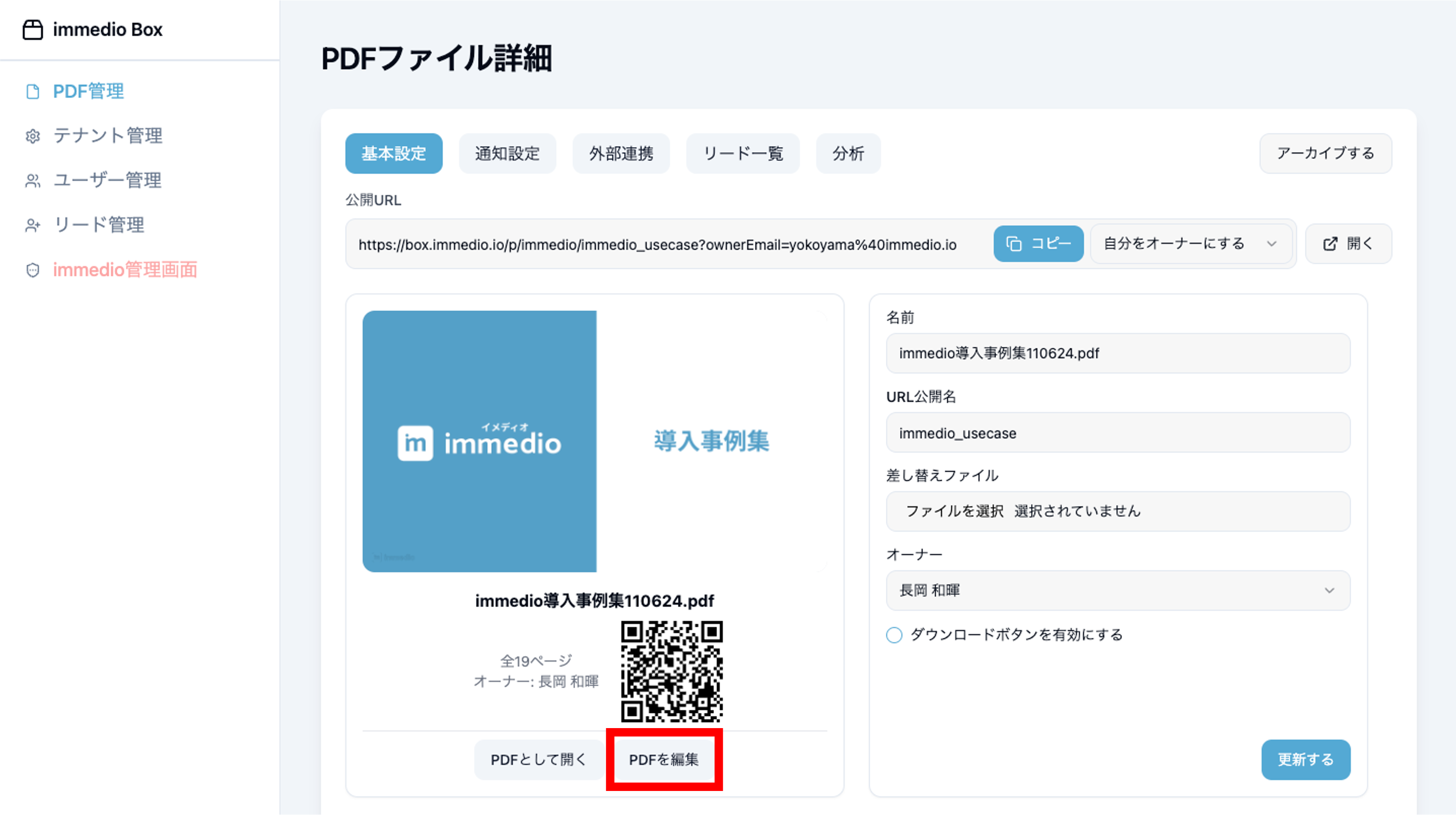
### 1.「PDFファイル詳細画面」からPDF編集画面を開きます。
### 2. ハイパーリンクを設定したいスライドを開き、ハイパーリンク設置ボタンをクリックします。
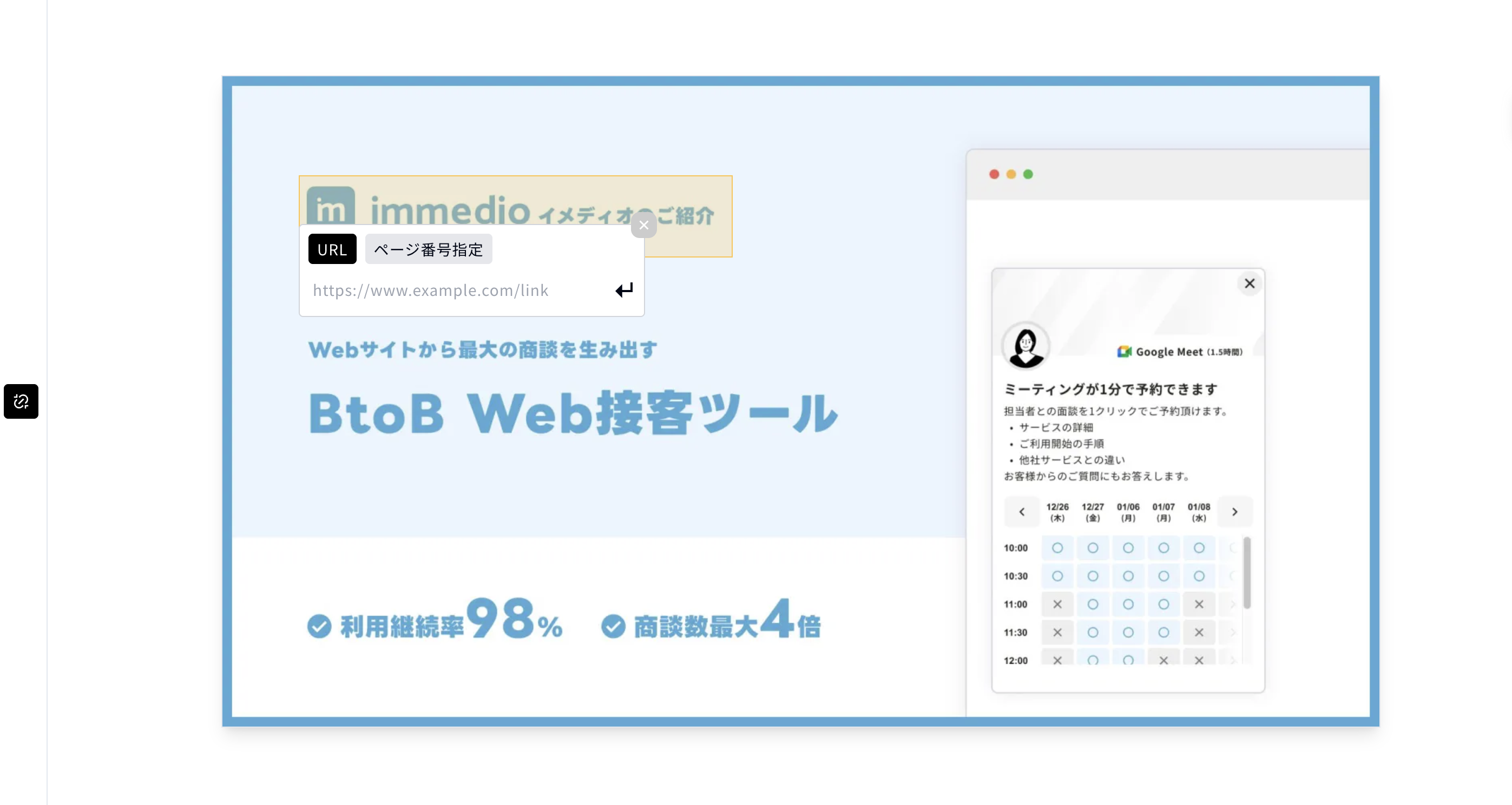
### 3. ハイパーリンクを設定する範囲をマウスをドラッグで指定し、ハイパーリンクを設定後Enterキーを押します。
この時、外部ではなく資料内の他ページにリンクしたい時は「ページ番号指定」を選択して下さい。
### 4. ハイパーリンク設置ボタンをクリックして完了です。
デモ動画:
{% @storylane/embed subdomain="app" url="" linkValue="0yvvmxot9ou2" %}
---
# Agent Instructions
This documentation is published with GitBook. GitBook is the documentation platform designed so that both humans and AI agents can read, navigate, and reason over technical content effectively. Learn more at gitbook.com.
## Querying This Documentation
If you need additional information that is not directly available in this page, you can query the documentation dynamically by asking a question.
Perform an HTTP GET request on the current page URL with the `ask` query parameter, and the optional `goal` query parameter:
```
GET https://docs.immedio.io/immedio-box/guides/file-upload/hyperlink.md?ask=&goal=
```
`ask` is the immediate question: it should be specific, self-contained, and written in natural language.
`goal` is optional and describes the broader end goal you are ultimately trying to accomplish on behalf of the user. GitBook uses it to tailor the answer towards what is most useful for that goal.
The response will contain a direct answer to the question and relevant excerpts and sources from the documentation.
Use this mechanism when the answer is not explicitly present in the current page, you need clarification or additional context, or you want to retrieve related documentation sections.