> For the complete documentation index, see [llms.txt](https://docs.immedio.io/llms.txt). Markdown versions of documentation pages are available by appending `.md` to page URLs; this page is available as [Markdown](https://docs.immedio.io/immedio-box/branching-questionnaires/index.md).
# 分岐設問管理
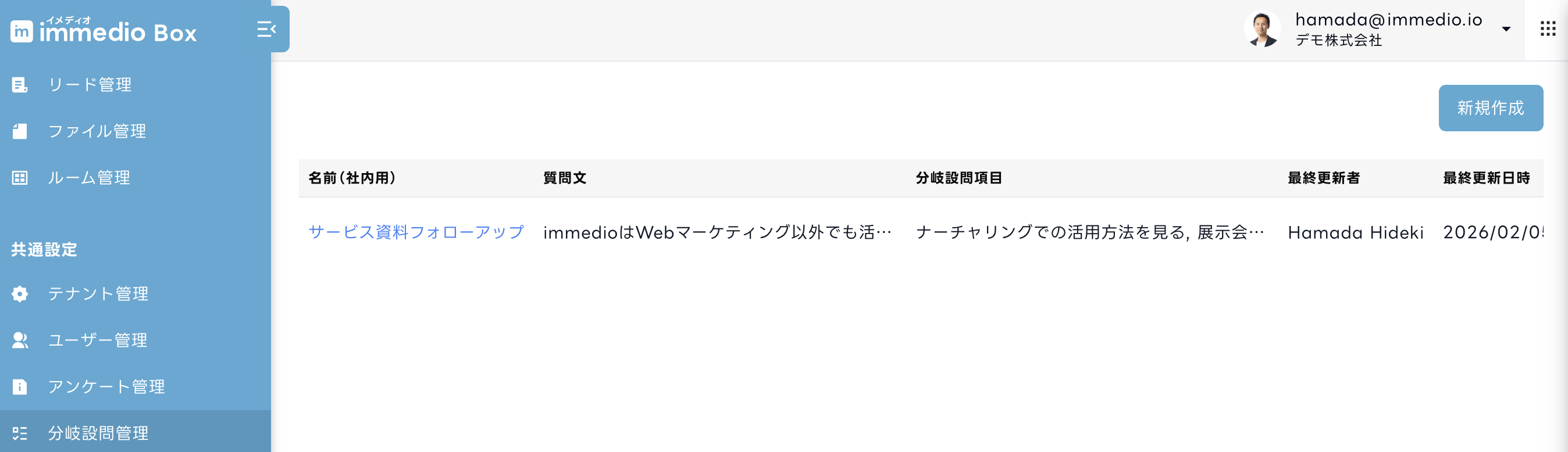
回答に応じて設問を分岐させる分岐設問を管理する画面です。
immedio Boxでは、ファイル閲覧時に顧客へ質問を提示し、その回答に応じて別のコンテンツへ誘導したり外部URLへ遷移させたりできる「分岐設問」機能を提供しています。分岐設問はPDFや動画のワークフローから呼び出して利用します。
## 分岐設問を作成する
分岐設問は「共通設定」の「分岐設問管理」から作成できます。
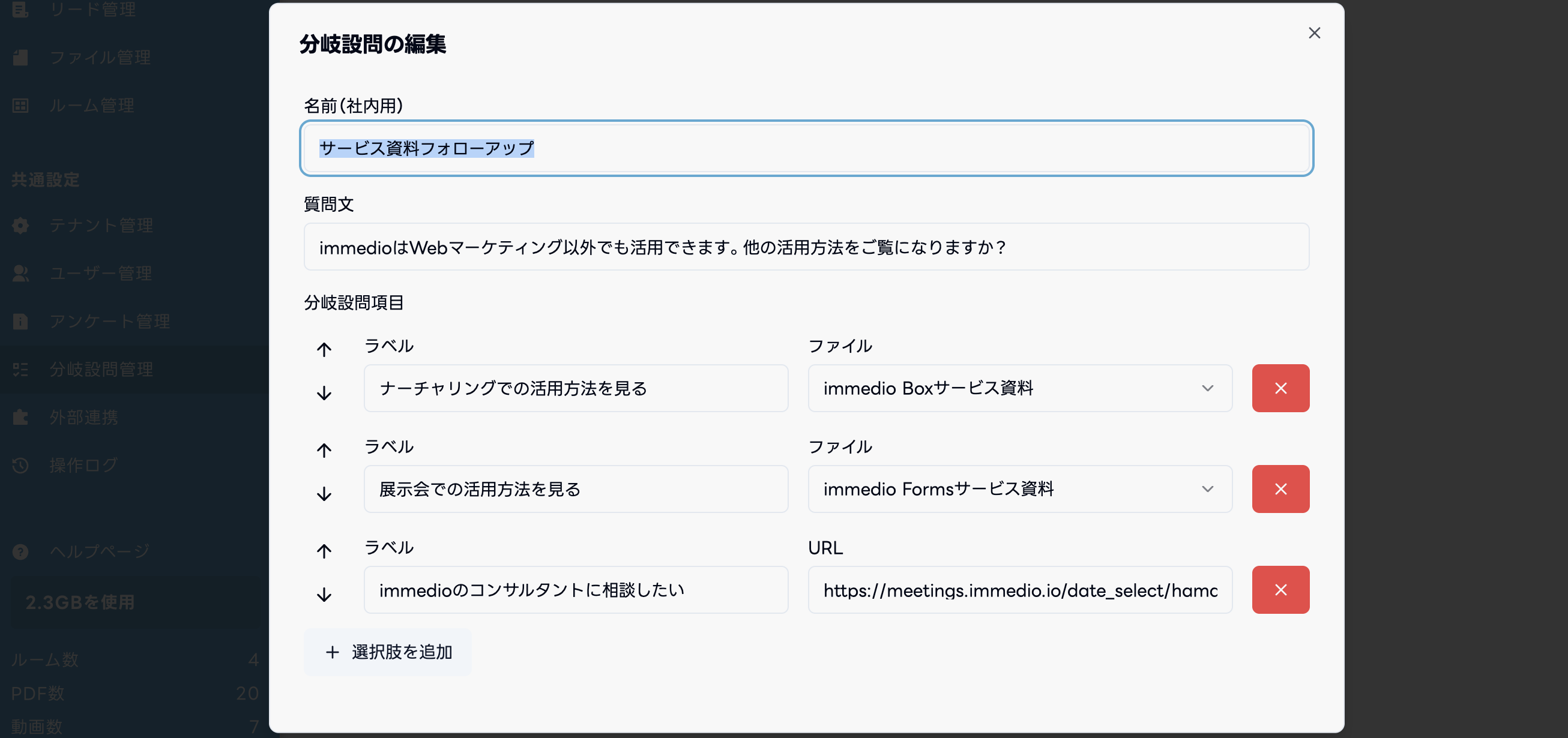
「新規作成」を押すと、以下の項目を設定できます。
| 設定項目 | 詳細 |
| ------- | ------------------------------------------ |
| 名前(社内用) | 管理用の名称。顧客には表示されません |
| 質問文 | 顧客に提示される質問文 |
| 分岐設問項目 | 質問文に対する選択肢と、選択されたときのアクション。項目タイプは後述の3種類から選ぶ |
## 項目タイプ
分岐設問項目は「Box内のファイル」「リンクボタン」「回答結果のみ記録」の3種類から選択します。
### Box内のファイル
Box内の別コンテンツを選択します。顧客が選択すると **別タブでそのコンテンツが開きます**。顧客の興味に合わせて別の資料や動画へ誘導するときに使用します。
### リンクボタン
任意のURLを設定します。顧客が選択すると **別タブでそのURLを開きます**。immedioの日程調整URLや外部サービスへ誘導するときに使用します。
### 回答結果のみ記録
遷移は発生せず、選択されたことが回答結果として記録されます。顧客の意向をヒアリングするだけで、次のアクションを実行させたくない場合に使用します。
## ワークフローから呼び出す
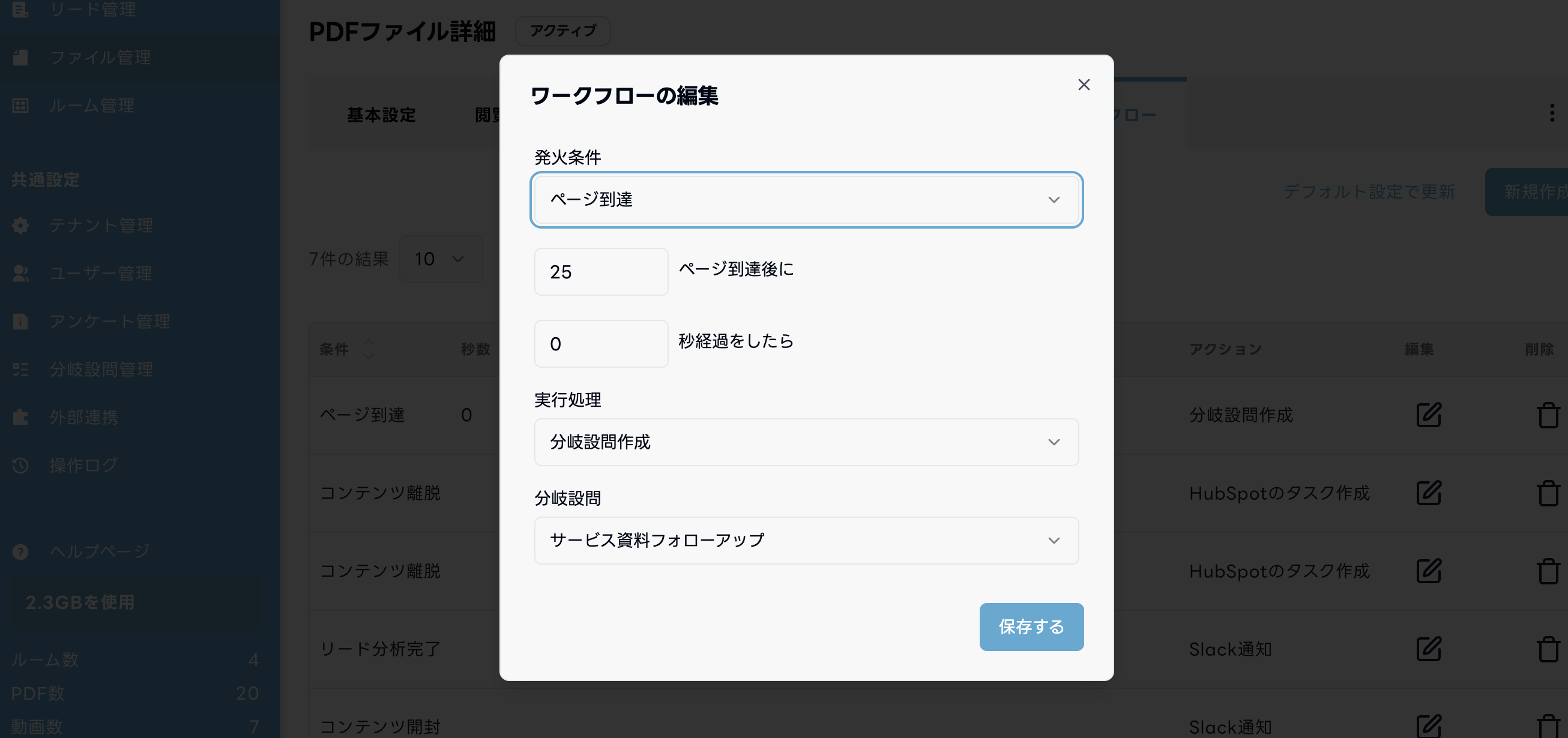
作成した分岐設問は、**PDFと動画のワークフロー** から呼び出せます。他のコンテンツ種別からは利用できません。
対応するトリガーは以下です。
* **PDF**: ページ到達 / ページ滞在
* **動画**: 秒数到達 / 総再生秒数到達
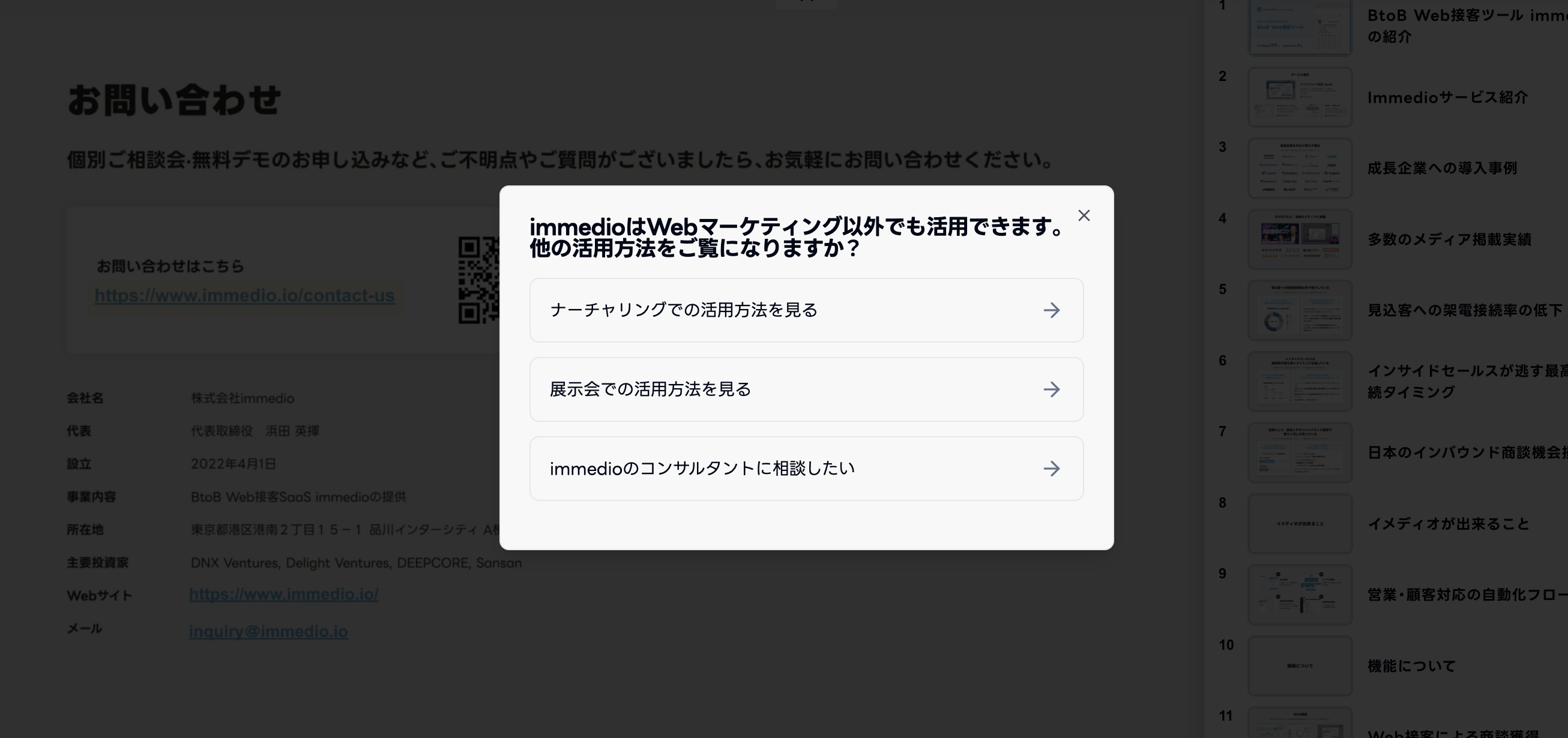
設定すると、閲覧中のファイル内で以下のように質問が表示され、選択された項目タイプに応じたアクションが実行されます。
### 回答時に通知を送る
顧客が分岐設問に回答したタイミングで通知を送りたい場合は、ワークフローの「分岐設問回答完了」トリガーからアクションを設定します。設定可能なアクションは以下です。
* Slack通知
* メール通知
* Salesforce Campaign Member作成
## 回答結果を確認する
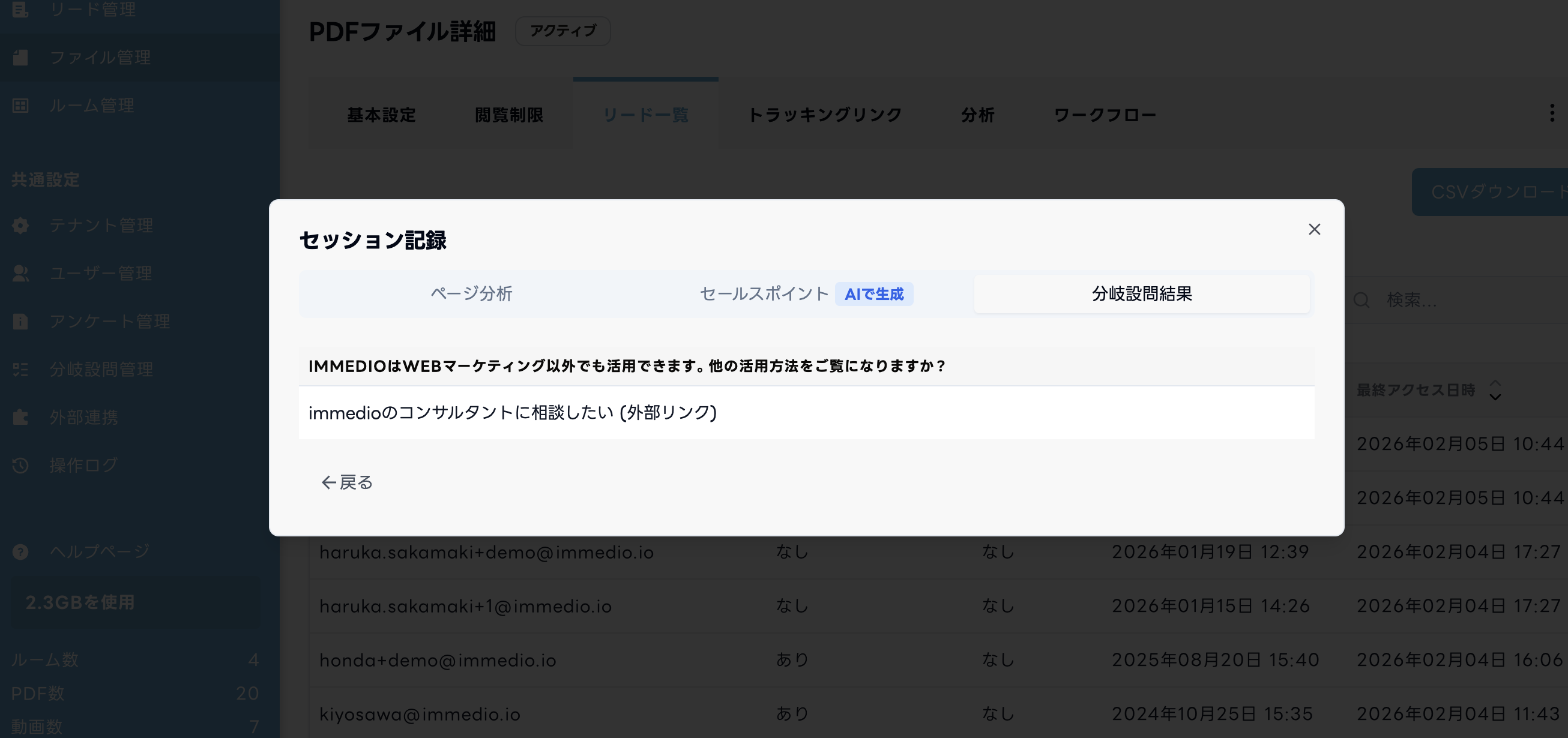
分岐設問の回答結果はセッション記録から確認できます。
同一セッション内で同じコンテンツの分岐設問に複数回答した場合は、**最新の回答で上書き** されます(顧客が別の選択肢を押し直した場合など)。過去の回答は保持されません。
## 削除できない場合
分岐設問がワークフローで利用されている場合、その分岐設問は削除できません。削除しようとすると、利用中のワークフロー名が表示されます。削除したいときは、対象のワークフロー側で分岐設問の利用を外してから削除してください。
---
# Agent Instructions
This documentation is published with GitBook. GitBook is the documentation platform designed so that both humans and AI agents can read, navigate, and reason over technical content effectively. Learn more at gitbook.com.
## Querying This Documentation
If you need additional information that is not directly available in this page, you can query the documentation dynamically by asking a question.
Perform an HTTP GET request on the current page URL with the `ask` query parameter, and the optional `goal` query parameter:
```
GET https://docs.immedio.io/immedio-box/branching-questionnaires/index.md?ask=&goal=
```
`ask` is the immediate question: it should be specific, self-contained, and written in natural language.
`goal` is optional and describes the broader end goal you are ultimately trying to accomplish on behalf of the user. GitBook uses it to tailor the answer towards what is most useful for that goal.
The response will contain a direct answer to the question and relevant excerpts and sources from the documentation.
Use this mechanism when the answer is not explicitly present in the current page, you need clarification or additional context, or you want to retrieve related documentation sections.